From line-scan pixels to a defect record your customer can act on.
One software platform on the machine's industrial PC: acquisition, detection, classification, measurement, the operator screen, the roll record and the interfaces outward. This page walks through each part.
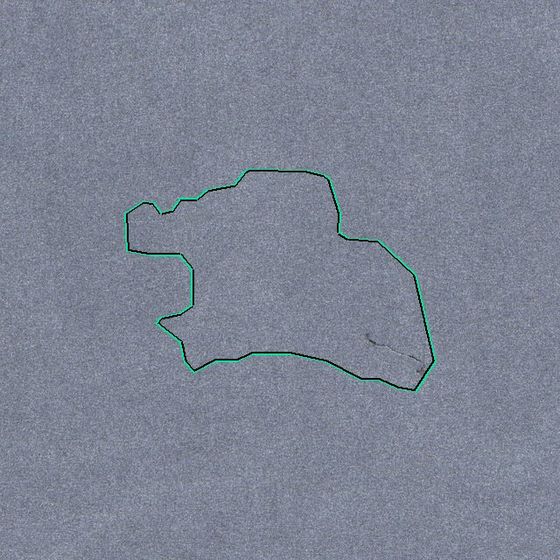
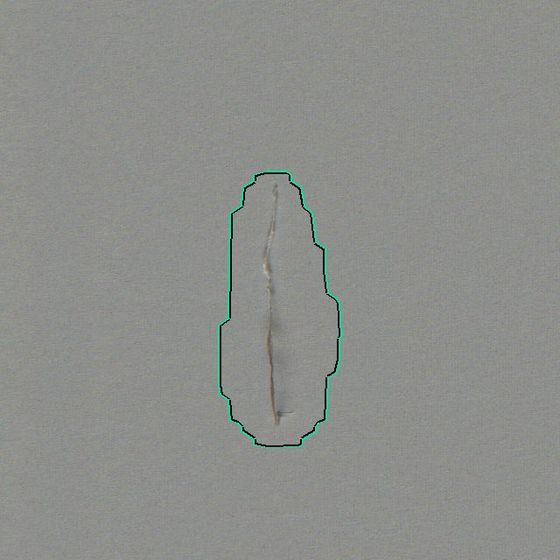
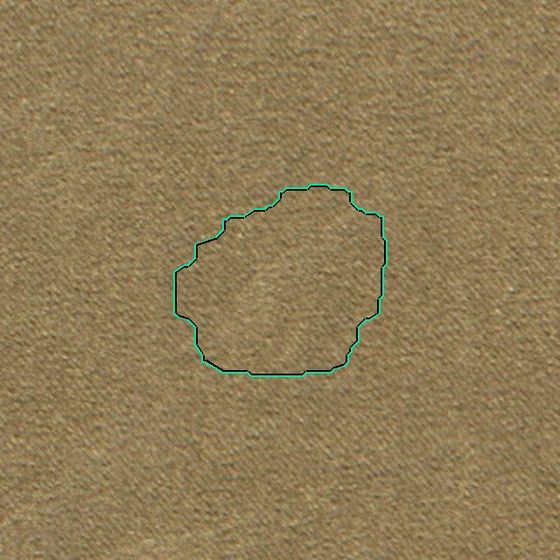
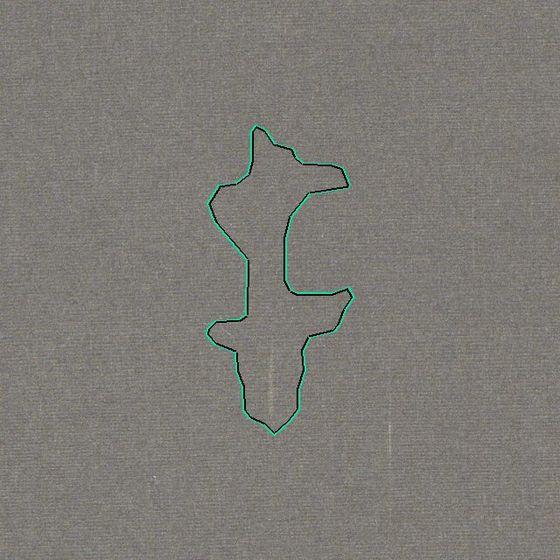
Structural, surface and directional faults, each reported as one region, with its size and its position on the roll both to the millimetre.
Everything runs on the machine. Nothing depends on a cloud.
Solid boxes on the left are yours. Everything on the right is delivered as a container image set for the machine's industrial PC, with an NVIDIA GPU for inference.
Learn the fabric, find what departs from it, name it in your words.
1 · Start inspecting. The system learns by itself.
Just start the inspection. The system learns the fabric on its own — no sample collection and no labelling, at any stage. Any texture is inspected as soon as the machine is set up; a new style is inspected from its first lot.
2 · One list, not several
Structural faults, colour faults, surface faults and full-width faults are all reported through the same pipeline, so the operator sees one list rather than several. When one physical defect shows up in more than one way, it stays one record with one position and one size.
3 · Classified, measured, located
Every reported defect arrives named in the customer's own vocabulary, with its size and its position on the roll both to the millimetre, and with the image it was found in, so any call can be checked later.
Operator feedback is training data
What the operator confirms, rejects or renames is kept with the image and folded back in on the machine itself, between lots. The line teaches the system what this mill accepts, and it does not need an engineer on site to do it.
Sensitivity that is calibrated, not guessed
Sensitivity is set from the mill's own material and its own past calls, not from a number someone guessed at commissioning. The operator has one control on screen, and turning it moves the whole system together.
Built for a touch screen on a factory floor, not for a desk.
Live inspection
Frames scroll with the fabric; regions are outlined as they are found. Speed, position and camera health on the top bar.
Rolls, pieces, cuts
Lot and piece numbers, cut points from the screen or the cutter, grade and points per 100 m computed from the scheme.
AI or manual mode
Switch to manual inspection at any time; the same screen records what the inspector marks, with the frame behind it.
Administration
Users and roles, defect schemes, lighting and camera settings, ERP fields, reports. Chinese and English, switchable per user.
What we read from the machine, and what we write back.
| PLC link | Modbus TCP, the system as client. Holding registers for run / stop, inspection speed, cutter events and encoder position. Register map supplied; existing maps adapted. |
|---|---|
| Position | Encoder count read through the PLC, mm resolution. Every frame and every defect is positioned from it to the millimetre, so the record survives stops, reversals and resumes. |
| Control ownership | Either the system drives the machine — start, stop and speed set on the screen and written to the PLC — or the host machine keeps run / stop, speed, tension and weighing and the system only reads state and position, never writing the machine's own registers. Also supported: no PLC at all — cameras plus encoder only. |
| Outputs | Defect events to the PLC for stack light or marking; roll record to ERP through a published field interface; PDF / CSV report per roll. |
| Cameras and light | GigE line-scan cameras, 8192 px, encoder-triggered, two to four across the fabric width. LED line lights with software-controlled intensity; flat-field correction against a white reference. |
Defect categories are yours to define.
Customers define their categories from their own defect images — as many as they need. Names, codes, severities and grading points all follow the mill's own scheme. The names below are commonly used in the industry; a machine's scheme can use any of them, or its own.
Weaving & structure
Yarn
Colour, dyeing & printing
Stains & foreign matter
Surface & finishing
Knitted fabrics
Reference configuration.
Numbers are from deployed lines and from our performance test bench. Each machine design is sized with us before it is fixed.
| Fabric width | Up to ~2.0 m with two line-scan cameras; four cameras for wider or higher-resolution layouts. |
|---|---|
| Fabrics | Woven, knitted, embossed, jacquard and printed; plain and patterned grounds alike. |
| Imaging resolution | ≈ 0.14 mm per pixel across and along the fabric at the 2-camera, 1.55 m reference layout; finer with more cameras per width. |
| Smallest reported defect | Regions from about 2–3 mm are reported at the reference resolution (slubs and colour spots of 3–4 mm appear in the field gallery). Minimum reportable size is a scheme setting. |
| Inspection speed | 50–100 m/min, configured to the machine's requirement.Camera count and compute are sized to the target speed and fabric width. |
| Latency | Around 120–150 ms from frame capture to reported regions. |
| Compute | Industrial PC, x86-64, Ubuntu Server, one NVIDIA GPU. Delivered as container images; runs offline. |
| Cameras | GigE line-scan, 8192 px, encoder-triggered; one NIC per camera, jumbo frames. Camera and lighting bill of materials specified per design. |
| Control | Modbus TCP to the machine PLC; PLC-less mode with encoder only. |
| Data | Frames, regions, rolls and operator feedback stored on the machine. Retention configurable. Production data is not uploaded automatically; device status, feedback operators choose to submit and data needed for remote troubleshooting go to Pindeed (see the privacy policy). |
| Time to first lot | No sample collection, labelling or model training beforehand. Once cameras and lights are mounted and calibrated, inspection starts on the first lot — installation and production inspection are the same day. |
| Commissioning and support | Commissioning, tuning, updates and fault diagnosis are all performed remotely over a channel the factory opens; no site visit is required, and the channel can be closed at any time. |
| Languages | Simplified Chinese and English in the operator software; defect names follow the customer's scheme. |
Before the first meeting.
Does it need samples collected and labelled for each customer's fabrics?
No. The engine learns normal material per fabric and reports departures from it — no sample collection, and a new fabric is inspected on its first lot. Operator feedback later improves classification.
Does it work on patterned fabrics — embossed, jacquard, knitted?
Yes. Embossed, jacquard, printed, knitted and woven fabrics run on the same engine with the same configuration. The pattern is learned as part of the fabric's normal appearance, so a repeating motif is not reported as a defect.
Can we use our own cameras and lights?
Line-scan GigE cameras that expose the standard control interface can usually be qualified. Lighting matters more than the camera brand; we specify geometry and intensity and verify with a flat-field test before sign-off.
How do false alarms get handled?
The operator rejects them with one tap. The rejection is stored with the image and lowers the engine's sensitivity to that pattern on that fabric. Rejected regions are excluded from the roll record and the report.
How does the software get updated in the field?
Over the air, when the factory allows it. New versions reach the machine without a site visit, and a machine that is offline keeps running the version it has.
How long from installation to production inspection?
Once the imaging system is mounted and calibrated, the machine inspects its first production lot the same day. Nothing has to be collected, labelled or trained first, so there is no pilot period during which the machine cannot earn its keep.
Does commissioning or servicing need an engineer on site?
No. Commissioning, tuning, version updates and fault diagnosis are all done remotely over a channel the factory opens. That is how machines far from us are supported, and it is why a fault rarely costs more than a shift.
Does inspection data leave the factory?
Not automatically. Frames and inspection records are stored on the machine, and inference, storage and reporting all run there. Feedback that operators choose to submit, with its screenshots, comes to us, and during remote troubleshooting we view or retrieve the logs and images we need. The machine is connected to our maintenance network by default; the factory can disconnect it at any time and inspection carries on, without remote support or updates.